|
|
 Posted - October 30 2011 : 8:59:35 PM Posted - October 30 2011 : 8:59:35 PM


|
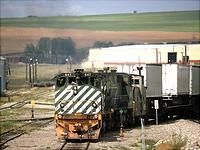
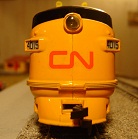
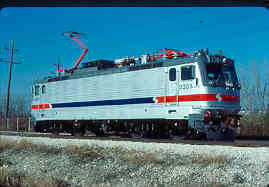
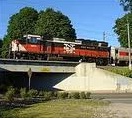
Well, I selected an avatar, but it is Rectangular and To big. Can Someone Edit it for me and PM It to me? I Want the Cab and Part of the Hood in the shot.
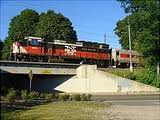
If you can and do, Thank you Very Much!
|
Country:  USA ~
Posts: 1102 ~
Member Since: July 28 2011 ~
Last Visit: July 01 2015 USA ~
Posts: 1102 ~
Member Since: July 28 2011 ~
Last Visit: July 01 2015
|
 Alert Moderator
|
|
|
|
Posted - October 30 2011 : 9:09:20 PM
|
I hope this helps.
Alco Fan
Edited by - Alco Fan on October 31 2011 3:41:29 PM
|
|
Country: USA ~
Posts: 2496 ~
Member Since: August 03 2006 ~
Last Visit: September 17 2024
|
Alert Moderator

|
|
|
|
Posted - October 30 2011 : 10:03:43 PM
|
Thanks A Bunch!
|
|
Country: USA ~
Posts: 1102 ~
Member Since: July 28 2011 ~
Last Visit: July 01 2015
|
Alert Moderator
|
|
|
|
Posted - October 30 2011 : 10:08:37 PM
|
HALP! All I see is a Little X
|
|
Country: USA ~
Posts: 1102 ~
Member Since: July 28 2011 ~
Last Visit: July 01 2015
|
Alert Moderator
|
|
|
|
Posted - October 30 2011 : 10:10:07 PM
|
Its slightly to big. 132x119. Can anyone Shrink Proportionatly?
|
|
Country: USA ~
Posts: 1102 ~
Member Since: July 28 2011 ~
Last Visit: July 01 2015
|
Alert Moderator
|
|
|
|
Posted - October 30 2011 : 10:43:58 PM

|
Have you tried using windows paint? 
|
Country:  Canada ~
Posts: 3448 ~
Member Since: September 22 2006 ~
Last Visit: April 03 2026 Canada ~
Posts: 3448 ~
Member Since: September 22 2006 ~
Last Visit: April 03 2026
|
Alert Moderator
|
|
|
|
Posted - October 30 2011 : 10:45:32 PM
|
My Computer has that?
|
|
Country: USA ~
Posts: 1102 ~
Member Since: July 28 2011 ~
Last Visit: July 01 2015
|
Alert Moderator
|
|
|
|
Posted - October 30 2011 : 10:57:35 PM
|
Unless you're running a Mac or something from the 80's, yes. Hit the start menu in the bottom left and search paint. 
|
|
Country: Canada ~
Posts: 3448 ~
Member Since: September 22 2006 ~
Last Visit: April 03 2026
|
Alert Moderator
|
|
|
|
Posted - October 30 2011 : 11:02:05 PM
|
Okay now what do I do?
|
|
Country: USA ~
Posts: 1102 ~
Member Since: July 28 2011 ~
Last Visit: July 01 2015
|
Alert Moderator
|
|
|
|
Posted - October 30 2011 : 11:22:29 PM
|
File>Open.
Then select the picture you want to re-size.
Image>Re-size/Skew
Just fiddle around with it until it's small enough. Save it as a JPEG.
|
|
Country: Canada ~
Posts: 3448 ~
Member Since: September 22 2006 ~
Last Visit: April 03 2026
|
Alert Moderator
|
|
|
|
Posted - October 30 2011 : 11:23:42 PM
|
I did. Still small X when I tried to add it to my list
|
|
Country: USA ~
Posts: 1102 ~
Member Since: July 28 2011 ~
Last Visit: July 01 2015
|
Alert Moderator
|
|
|
|
Posted - October 30 2011 : 11:46:31 PM
|
| I'm not sure what the problem would be then. There are several topics in the Forum Help section about avatars.
|
|
Country: Canada ~
Posts: 3448 ~
Member Since: September 22 2006 ~
Last Visit: April 03 2026
|
Alert Moderator
|
|
|
|
Posted - October 31 2011 : 05:54:05 AM
|
Now it's 100 x 95 pixels. That's the best I can manage. I never had to resize a picture and the distortion wasn't too bad.
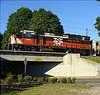
I think you're getting an x because of the way you saved it. No caps, no numbers and watch the punctuation marks.
I saved this as a jpg. and titled it, avatar two
Alco Fan
Edited by - Alco Fan on October 31 2011 3:44:11 PM
|
|
Country: USA ~
Posts: 2496 ~
Member Since: August 03 2006 ~
Last Visit: September 17 2024
|
Alert Moderator
|
|
 Home
Home Forums
 Events Calendar
 Forum Admins & Mods
 Register