|
|
 Posted - November 03 2007 : 10:45:12 AM Posted - November 03 2007 : 10:45:12 AM


|
can I get detailed info on uploading photo's please.
Bob
Bob the Slot Car Guy
|
Country:  USA ~
Posts: 170 ~
Member Since: October 31 2007 ~
Last Visit: November 26 2019 USA ~
Posts: 170 ~
Member Since: October 31 2007 ~
Last Visit: November 26 2019
|
 Alert Moderator
|
|
|
|
Posted - November 03 2007 : 12:02:09 PM
|
How to upload pictures-----
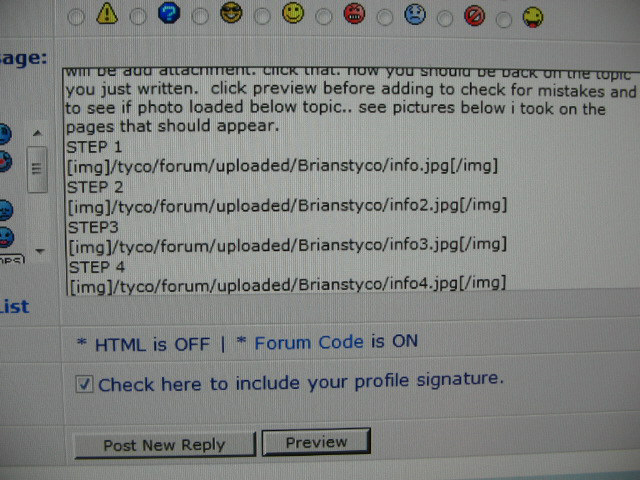
After you write your post-look at icons above your post. Click on the paper clip icon. It will take you to upload page. select browse which will then take you to where you select you pictures etc. Browse and click on the photo you want displayed. PLEASE NOTE THE FOLLOWING-ALL PHOTOS YOU WANT UPLOADED MUST HAVE .jpg at end in lower case or you will not be able to upload. rename your photo and at end add .jpg if it does not have .jpg. Double click photo. The next screen that appears will be add attachment. click that. now you should be back on the topic you just written. click preview before adding to check for mistakes and to see if photo loaded below topic.. after previewing click add topic. see pictures below i took on the pages that should appear.
STEP 1
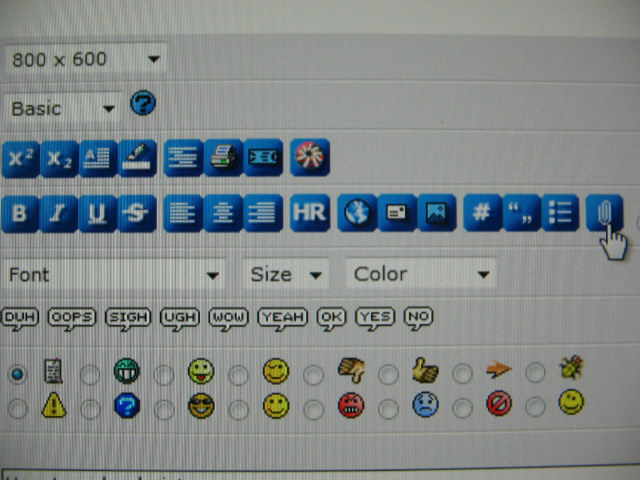
STEP 2
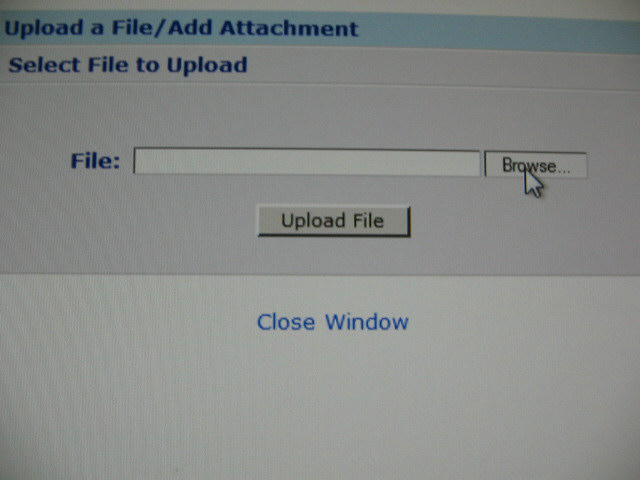
STEP3
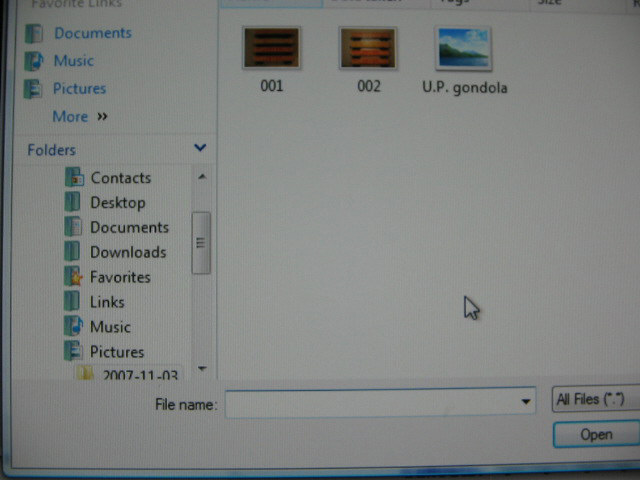
STEP 4
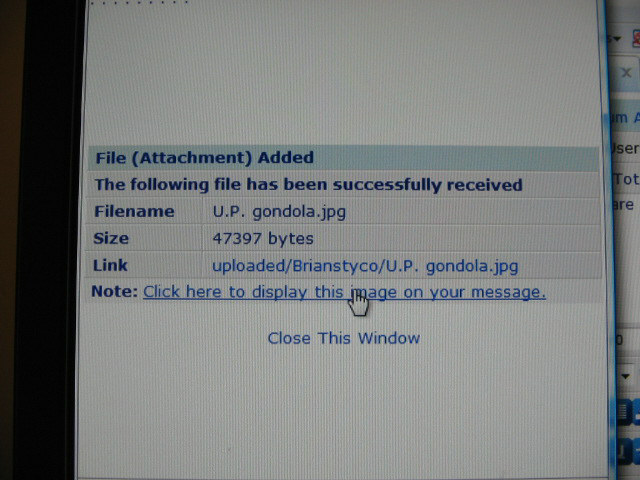
your page should like this after you have succesfully uploaded photo(s)
Right and Wrong photo for uploading
Wrong photo- If your photo looks like this it will not upload
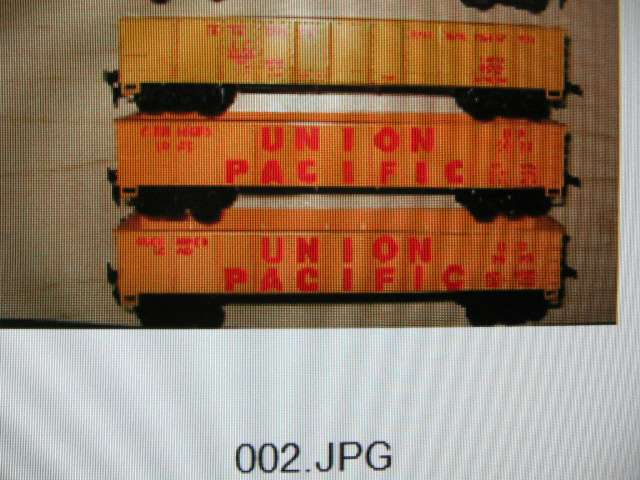
Renamed file-correct to upload to tyco forum

Edited by - Brianstyco on November 20 2007 04:57:49 AM
|
|
Country: USA ~
Posts: 2507 ~
Member Since: January 31 2006 ~
Last Visit: October 21 2017
|
Alert Moderator

|
|
|
|
 Posted - November 03 2007 : 1:12:20 PM Posted - November 03 2007 : 1:12:20 PM
|
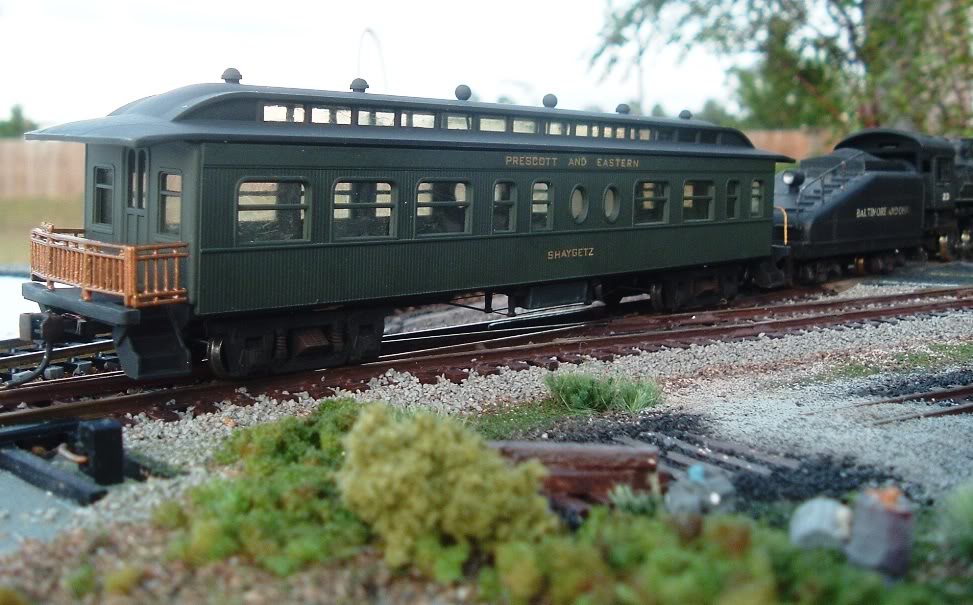
Another idea is to use an online host like Photobucket. Then you can drive the dialup guys nuts with massive picture files[:D] [:D] [:D]
|
|
|
|
|
Posted - November 03 2007 : 5:27:15 PM
|
Thank you for the info. Now I will try it. The paperclip is what was baffling me.
-Bob
Bob the Slot Car Guy
|
|
Country: USA ~
Posts: 170 ~
Member Since: October 31 2007 ~
Last Visit: November 26 2019
|
Alert Moderator
|
|

 Home
Home Forums
 Events Calendar
 Forum Admins & Mods
 Register